Buying Keyboard Switches Online for a Gaming & Streaming Setup
Buying switches online sounds easy until you’ve got twelve tabs open, three carts started, and you’re arguing with yourself over whether 45g vs 60g is going to ruin your aim. Been there. It’s the same energy as tweaking your Valorant crosshair for an hour, then whiffing the first duel anyway.
People obsess over copying CS2 pro crosshairs and “Zywoo settings” like it’s a religion, but the keyboard they’re using? Half the time it’s a random prebuilt from five years ago with switches that feel like wet cardboard. If that’s you, no judgment—just know your movement and consistency are paying the price.
What follows isn’t some perfect lab‑coat guide. It’s more “here’s what actually matters, here’s what’s mostly marketing, and here’s how not to get scammed when you’re buying switches from a store you’ve never heard of at 2 a.m.”
Why Keyboard Switches Matter as Much as Crosshair Settings
Think about how much time you’ve spent nudging your Valorant crosshair one pixel thicker, or hunting for the exact CS2 crosshair code a pro uses. Now compare that to how much time you’ve spent thinking about your W, A, S, D keys. If the answer is “uh… never,” there’s your bottleneck.
Your crosshair only shows you where to shoot. Your switches decide whether your counter‑strafe actually lands on time. That tiny delay between your brain saying “stop” and your finger actually bottoming out the key? That’s switch feel plus your own muscle memory.
If you’re the kind of person who cares about consistency—Zywoo settings, pro crosshair packs, fixed sens forever—then your switches are just the hardware version of that obsession. You want every tap, every strafe, every bunny hop to feel the same today, tomorrow, and when you’re half‑asleep in a 3 a.m. ranked queue.
And if you stream, there’s another layer: sound. Loud, clicky switches can turn your mic into a typewriter ASMR channel you never asked for. Smooth linears with decent stabilizers? Your chat hears your voice, not your spacebar screaming for help.
Input Feel, Fatigue, and Long Ranked Sessions
Here’s the part nobody tells you until your hands start complaining: switch weight matters more after hour three.
Light linears (the classic “gaming” choice) feel great when you’re spamming movement keys in Valorant or CS2. Your fingers barely need to think. But if you’re heavy‑handed, you might find yourself bottoming out so hard your fingers feel bruised after a long stream.
Heavier switches slow you down a hair, but they can feel more controlled, like there’s a built‑in “are you sure?” check before every press. Some people love that. Some hate it. If you grind ranked or stream for several hours at a time, this isn’t theory—this is the difference between “one more game” and “my fingers feel cooked.”
Cherry MX Red vs Black and Core Switch Basics
Let’s get the cliché comparison out of the way first: Cherry MX Red vs Black. Everyone runs into this at some point because most gaming boards ship with one of the two or something that’s pretending to be them.
Reds are light, linear, and easy to spam. You barely touch them and they actuate. For FPS players, they’re like training wheels for fast inputs: double taps, strafes, jump peeks, all feel effortless. The flip side? If you’re sloppy, you’ll mispress more often. Brush a key by accident and it’s already registered.
Blacks are also linear but heavier. You actually have to mean it when you press them. Some players swear by them because they cut down on accidental inputs and feel more “solid,” especially if you’re used to smashing your keyboard like it owes you money.
Spam A and D all day in Valorant? Reds will feel like cheating. Constantly fat‑finger keys and buy the wrong gun? Blacks might save you a few rounds—and a few teammates’ sanity.
Most modern gaming switches from other brands are basically remixing this formula: light linear vs heavy linear, maybe with a different color and a fancy name. Once you understand the Red vs Black idea, you can translate it to almost any spec sheet you see.
Linear, Tactile, and Clicky: Which Style Fits You
Quick translation, minus the marketing fluff:
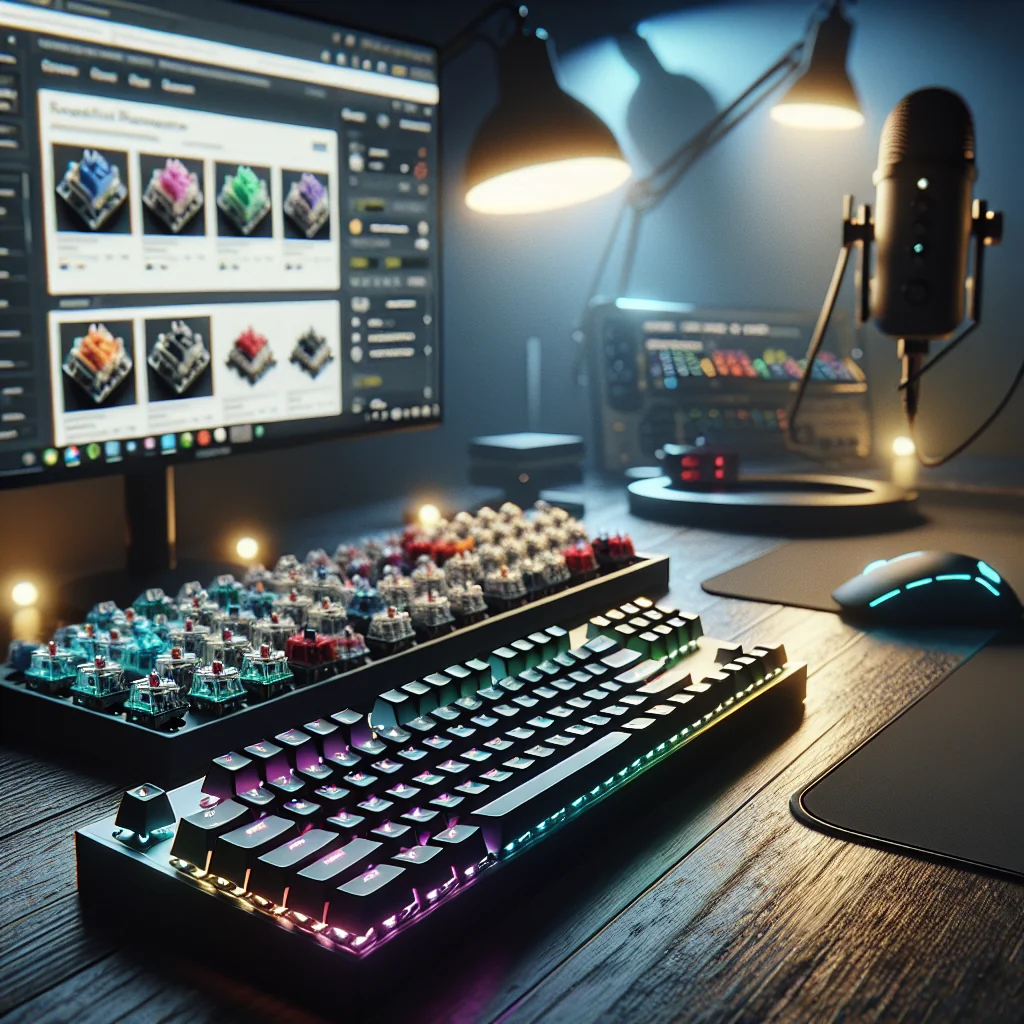
Linear: smooth from top to bottom, no bump. Great for FPS, rhythm games, or anything where you’re hammering the same keys over and over. If you just want your keyboard to get out of the way, this is usually it.
Tactile: there’s a bump in the middle of the travel that says “hey, I actuated.” A lot of people like this for typing or mixed use because you don’t have to bottom out every key to know it registered.
Clicky: bump + noise. And not just “a little noise”—we’re talking “your teammates can hear your keyboard through Discord” noise. Fun if you’re off‑stream or you like that old‑school typewriter vibe, but usually a pain for serious streaming.
If you’re not sure what you like, assume linear first for pure gaming, tactile if you type a lot, and clicky only if you’re willing to fight your mic filters.
Key Factors Before Buying Keyboard Switches Online
Okay, so you’ve decided on a style. Now comes the part where a lot of people mess up: buying switches that literally don’t fit their board. Yes, it happens. A lot.
Before you even look at colors, brand names, or “thocky” sound tests on YouTube, you need to know two boring things: how your keyboard mounts switches and what pin layout it expects. If that sounds annoying, it is. Do it anyway.
Good product pages usually spell out the basics: actuation force, travel distance, 3‑pin vs 5‑pin, and whether they’re MX‑style. If a listing hides all that behind vague phrases like “premium gaming switch” and a single blurry photo, that’s your cue to close the tab.
Compatibility, Pins, and Hot‑Swap Support
Here’s the fast checklist:
– Hot‑swap board? You’re lucky. You just need MX‑style switches with the right pin count (most modern ones are fine, you can clip pins if needed). Pop old ones out, drop new ones in. Done.
– Soldered board? Now you’re in “are you sure you want to do this?” territory. You’ll need a soldering iron, patience, and a switch that matches the footprint your PCB expects. If you don’t know what that means, either learn properly or don’t start here.
It’s not glamorous, but double‑checking pin layout and compatibility will save you from the “my switches arrived and literally don’t fit” moment. That’s a special kind of pain.
Best Places and Criteria for Buying Keyboard Switches Online
Once you know what you’re actually looking for, the question becomes: where do you buy this stuff without getting a bag of mystery plastic that feels like typing on gravel?
In practice, the best stores have three things: real specs, real photos, and real stock info. If they also sell stabilizers, lube, tools, and other keyboard parts, that’s a good sign—they’re in the hobby, not just flipping random inventory.
Some PC parts shops that already carry RAM kits (think Corsair Dominator vs Vengeance) and power supplies will also stock switches and stabilizers. That can be handy if you’re upgrading multiple parts at once and don’t want three separate shipments showing up on different days.
What you want to avoid is the “generic everything” listing: one blurry render, no brand, no batch info, and a description that reads like it was run through three translation apps. Switches are small, but they’re not throwaway. Treat them like you’d treat a PSU—if a bronze vs gold listing looked this sketchy, you wouldn’t touch it.
Red Flags That Suggest You Should Skip a Listing
A few instant nope signs:
– The seller mixes multiple brands or models in one pack “for variety.” Translation: random leftovers.
– The description is clearly copied from a different product and half the specs don’t match the photos.
– No close‑up shots of the pins or housings, just a single glamor shot from ten feet away.
– No mention of pin layout, actuation force, or anything technical at all.
If the seller can’t be bothered to label switches correctly, you shouldn’t trust them with parts you’re going to slam thousands of times a night.
Evaluating Store Legitimacy and Risk Level
You know how people ask, “Are game key sites legit?” and the real answer is “sometimes, but don’t use your main account on the sketchy ones”? Same energy here, except now it’s your keyboard on the line instead of your Steam library.
Digital keys have one kind of risk: revokes, bans, region locks. Physical parts have another: fakes, bad batches, or just straight‑up trash quality. A bad set of switches can chatter, die early, or feel so inconsistent that your timing goes out the window.
So no, you don’t treat a random hardware reseller the same way you treat a key marketplace. With switches, you want boring reliability: clear policies, clear photos, and some sign that an actual human has touched the product before sending it to you.
Simple Store Check Before You Buy
Quick sanity check you can do in under five minutes:
– Is there a real address on the site, not just a contact form in the void?
– Do they list an email or support channel that isn’t obviously dead?
– Is there a return policy written in something resembling normal language?
– Do recent reviews mention packaging and delivery time, not just “arrived, thanks”? If people talk about how well pins were protected, that’s a very good sign.
If all of that looks sketchy, save your gambling budget for cheap game keys, not your main gaming keyboard.
How Switch Choice Connects to Crosshairs and Pro Settings
On paper, crosshairs and switches live in different universes: one’s on your screen, one’s under your fingers. In reality, they’re both doing the same job—removing guesswork.
A clean Valorant crosshair helps you see the fight. A consistent switch helps you hit the timing you’re aiming for. If one of those two is off, everything feels “slippery,” like you’re always half a beat late.
Look at CS2 pro settings: low sens, simple crosshairs, no visual clutter. Most of those players are also on linears that don’t fight their fingers. Zywoo’s whole thing is precision and repeatability; your keyboard should support that, not argue with it.
And yes, if you change switches, your movement will feel weird for a bit. Treat it like changing crosshairs—you don’t judge it after one game. Give it a week of actual play, not just typing in Discord, before you decide it was a mistake.
Testing New Switches in Aim Training
When you put new switches in, don’t jump straight into ranked and blame them for every lost duel. Warm them up first.
Hop into an aim trainer or a few deathmatch lobbies. Pay attention to counter‑strafes, jump peeks, quick taps out of cover. Are you missing keys? Overshooting? Or does movement feel a little more “locked in” once your fingers stop overthinking it?
If, after a few sessions, you’re missing fewer inputs and not fighting your keyboard, that’s a good sign you picked the right direction.
Comparing Core Components for a Streaming‑Ready Rig
Most people don’t buy switches in a vacuum. You start with “I just want better keys” and suddenly you’re comparing RAM kits, PSU ratings, and RGB strips because, of course, one upgrade turned into five.
Component Choices for Gaming & Streaming Builds
| Component | Example Choices | Impact on Gaming & Streaming |
|---|---|---|
| Keyboard Switches | Cherry MX Red vs Black, linears vs tactiles | Change movement feel, input speed, sound on mic, and hand comfort over long sessions. |
| Stabilizers | Best stabilizers keyboard kits, screw‑in vs clip‑in | Cut down rattle on big keys and make spacebar presses for jumps and movement feel solid. |
| Memory | Corsair Dominator vs Vengeance | Affects how smoothly your system handles game + stream + browser + everything else. |
| Power Supply | Bronze vs Gold PSU | Impacts efficiency and stability when your GPU, lights, and capture gear are all pulling power. |
| Lighting | RGB panels, RGB strips | Makes your stream background look intentional instead of “I play from a closet.” |
| Mouse & Accessories | Color‑themed mice, custom pads | Improves comfort and lets you keep your aim setup matching your stream’s look. |
| Game Key Stores | Various key marketplaces | Cheap games if you vet sellers properly; separate risk from your hardware choices. |
The main point: don’t hyper‑optimize your “Zywoo settings” while your PSU is wheezing and your RAM is maxed out. Your inputs only matter if the rest of the system can keep up.
Stabilizers, Sound, and Streaming‑Friendly Keyboards
Here’s the rude truth: even the nicest switches feel terrible if your stabilizers are trash. You know that hollow, rattly spacebar that sounds like a cheap toy? That’s not the switch’s fault—that’s bad stabs.
A good “best stabilizers keyboard” setup usually means screw‑in stabilizers, a bit of lube, maybe some foam or tape, and a few minutes of patience. The reward is a spacebar that doesn’t scream every time you jump or crouch‑spam.
For streaming, this matters even more. A loud, sharp spacebar can cut through your mic harder than your actual voice, especially if you sit close. Smooth linears plus tuned stabilizers give you that soft, controlled sound that doesn’t make your VODs sound like a mechanical workshop.
When you’re buying switches online, it’s worth checking if the same store sells stabilizers and basic tuning supplies. One order, one shipping fee, and you can fix feel and sound in one go.
Balancing Keyboard Noise with Mic Settings
Do a quick test: fire up your stream software, watch your mic levels, and play like you normally do. Don’t baby the keyboard.
If your keystrokes are spiking the meter more than your voice when you get excited, you’ve got options: heavier linears, more damping in the case, different mic filters, or just moving the mic a bit.
You don’t need a perfectly silent board—some sound is fine and even nice—but you want “background texture,” not “front‑row drum solo.”
Lighting, Aesthetics, and Matching Your Stream Brand
Performance comes first, sure—but pretending looks don’t matter on camera is just lying to yourself. Viewers absolutely notice when your setup looks like a cohesive build instead of a pile of random parts.
A color‑matched mouse, some custom keycaps, a few RGB panels or strips behind you—that’s the stuff that makes your stream thumbnail look polished even if someone only sees it for two seconds while scrolling.
You can even tie it all back to your in‑game style: match your keyboard lighting to your Valorant crosshair color, or keep things as clean as a CS2 UI with minimal clutter. RAM kits like Corsair Dominator vs Vengeance are partly a performance choice, partly an aesthetic one when they’re glowing in your case on camera.
Just don’t flip the priorities. Pretty lights won’t fix switches that feel mushy or inconsistent. Get the feel right first; then worry about whether your keycaps match your overlay.
Choosing Switch Colors That Fit Your Theme
One underrated detail: some switches actually look good on their own. Colored housings, bright stems, clear tops—if you’re running a translucent or low‑profile keycap set, those little flashes of color show up on stream.
If your brand leans hard into a specific color (neon green, pastel pink, whatever), you can choose switches that either blend in or add a small accent. Done right, your keyboard looks “designed,” not like you grabbed whatever was on sale that day.
Cooling, Fan Curves, and Protecting Your Setup
Switches themselves don’t care about heat, but the rest of your system absolutely does. There’s no world where your keyboard feels “consistent” if your PC is thermal throttling or randomly dropping USB connections mid‑round.
A decent fan curve—whether you use a fan curve calculator or just tweak it by ear—keeps your case and CPU from turning into a space heater. Cooler systems are quieter, more stable, and a lot less likely to crash right when you’re on a 20‑kill game.
Pair that with a PSU that isn’t barely scraping by. Bronze vs gold PSU isn’t just about efficiency numbers; gold units are often better built, with cleaner power delivery. That matters when you’re running a hungry GPU, capture cards, RGB, and every USB device you own at once.
Why Stable Power Helps Your Peripherals
Random USB drops are one of those issues people blame on everything except the PSU. But dirty or unstable power can absolutely cause weird peripheral behavior—keyboards disconnecting, mice stuttering, audio devices cutting out.
A solid power supply and decent cabling mean your switches keep doing their thing even when your GPU and CPU are spiking under load. No sudden disconnects mid‑clutch, no ghost issues that you spend weeks chasing.
Step‑by‑Step Checklist for Buying Keyboard Switches Online
If you want a straight, no‑nonsense checklist before you slam “buy now,” here’s the one I wish someone had handed me the first time I went down this rabbit hole:
- Figure out what keyboard you actually have. Check if it’s hot‑swap or soldered before you buy anything.
- Decide on a general feel: light vs heavy, linear vs tactile. (Clicky only if you’re sure your mic and teammates can handle it.)
- Confirm pin layout (3‑pin vs 5‑pin) and that they’re MX‑style so they’ll fit your PCB and plate.
- Read the specs: actuation force, travel distance, and any notes on sound. Ignore pure marketing fluff.
- Scan for real photos, a clear return policy, and recent reviews that mention packaging and delivery.
- See if the store also sells stabilizers, lube, and tools—you’ll probably want them anyway.
- Think about your stream: if your mic is close, avoid super loud clicky switches unless you’re going for that vibe.
- Check what else you’re upgrading soon (RAM, PSU, lighting) so you don’t pay shipping three times.
- When in doubt, order a small pack or a tester kit first instead of committing to a full board’s worth.
- Install them, then give yourself at least a week of real play before deciding whether they’re keepers.
Treat this like a CS2 pro settings sheet: follow it once, properly, and you won’t have to keep re‑doing the same mistakes every time you upgrade.
Quick Recap: Key Tips for Buying Keyboard Switches Online
Switches aren’t just another shiny accessory; they’re literally how your hands talk to your games. Crosshair settings handle what you see. Switches handle what you do. When both are dialed in, everything feels way more natural than it has any right to.
Use specs, photos, and honest reviews to filter out junk. Worry about compatibility, comfort, and sound first; worry about matching your RGB to your Valorant crosshair later. And remember that your switches, stabilizers, PSU, RAM, and cooling all live in the same ecosystem—if one is a mess, the others can’t fully make up for it.
Final Buying Tips at a Glance
Know what you want (quieter streams, faster movement, less fatigue), pick a switch style that actually supports that goal, buy from a store that treats switches like real components instead of throwaway toys, and then give yourself time to adapt.
Do that, and your next switch purchase won’t just be another impulse buy—it’ll actually make your games and your stream feel better to play and better to watch.